Turn on, adjust and arrange each chart’s indicators.
3 min read
The Indicators menu
The Indicators ▾ button on the bar opens CHART INDICATORS: the list of the ones that chart has, each with its checkbox to show or hide it and its ⚙ to configure it.
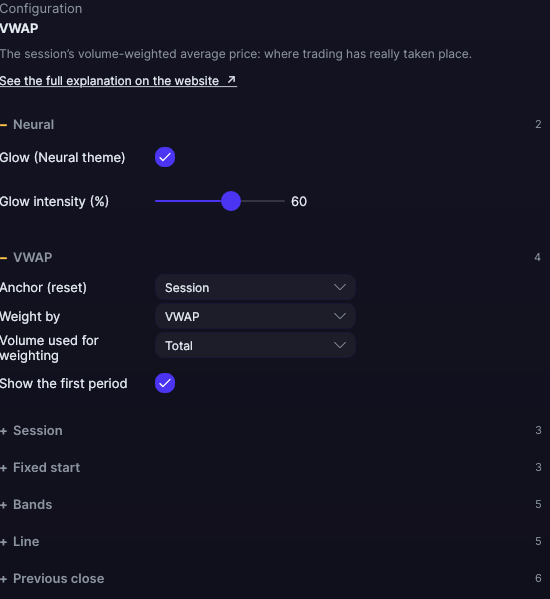
Each indicator’s ⚙ opens its settings; here, the VWAP’s.
More Indicators… opens the full catalog.
Order Book · Order by Order (MBO)… opens the order-by-order book (we explain it on the blog).
Chart Settings takes you to the chart settings.
The catalog
Pick an indicator and it is added to the chart with its default settings. Each chart has its own settings: changing an indicator on one chart doesn’t change the same indicator on another. If you want the same setup on several, save it as an Individual Desk.
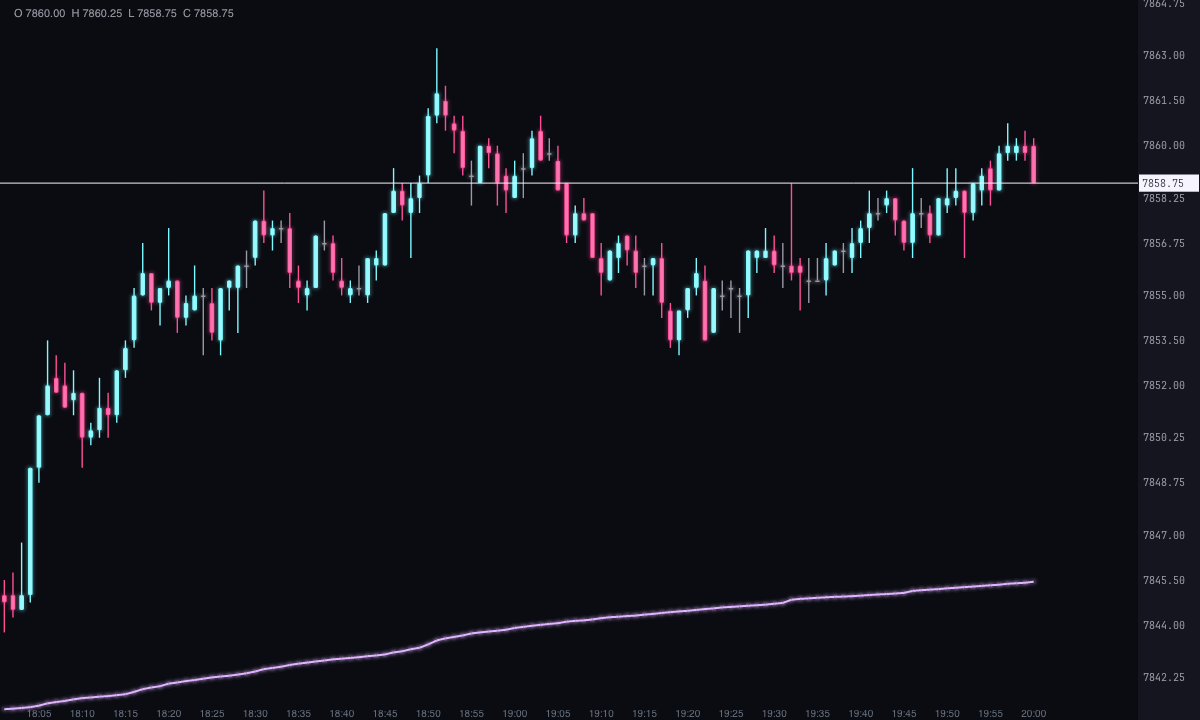
A newly added indicator with its default settings: the VWAP.
Documented indicators
Each one has its own page: what it measures, how to read it and all its settings.
Indicators in the bottom panel
Panel indicators (volume, delta, cumulative delta…) go in strips under the candles: double-click to configure them, drag the separator to change their height, and right-click to move them up, down or change their frame.
V/D/TPO profiles and Grayskull
Some indicators aren’t calculated over the whole chart but over the range you mark with the mouse. Turn them on in Indicators first, and then:
V/D/TPO profiles: hold the V key and drag on the chart. Tab switches between V-Profile, D-Profile and TPO. If you drag one profile over another, they merge.
Grayskull: hold the X key and drag. It’s a Pro plan indicator; everything it calculates is on its page.
Automatic profiles
Forge can also draw a profile on its own for each day, week or month across the whole chart. Turn it on in the settings (⚙) of V/D/TPO profiles, section COMMON TO ALL THREE:
Automatic profiles: Off (default), One per day, One per week or One per month.
Mode of the automatic profiles: V-Profile, D-Profile or TPO.
They use the same colors and settings as the profiles you draw with the V key. The day starts at 6:00 p.m. New York time, so the overnight session already counts toward the next day (Sunday night belongs to Monday). The week runs Monday to Friday and the month is the calendar month. With the chart on regular trading hours (RTH), the daily profile only covers the day session.
Automatic profiles can’t be selected, don’t appear in the object list and don’t get in the way when you move the chart. The ones you draw with the V key work as always and sit on top.
Profiles are calculated from the chart’s footprint: no footprint, no profile.
This site only uses technical cookies, the ones your account needs to work. We don’t use tracking or advertising cookies. Privacy policy
Beta
Want to join the beta?
Sign up with your email. We review every request and let you know as soon as you have access. Forge does not include market data: you need your Rithmic account.
 FORGE
FORGE