 FORGE
FORGEVolume
How many contracts traded in each candle, with its average to see when it departs from the norm.
What it measures
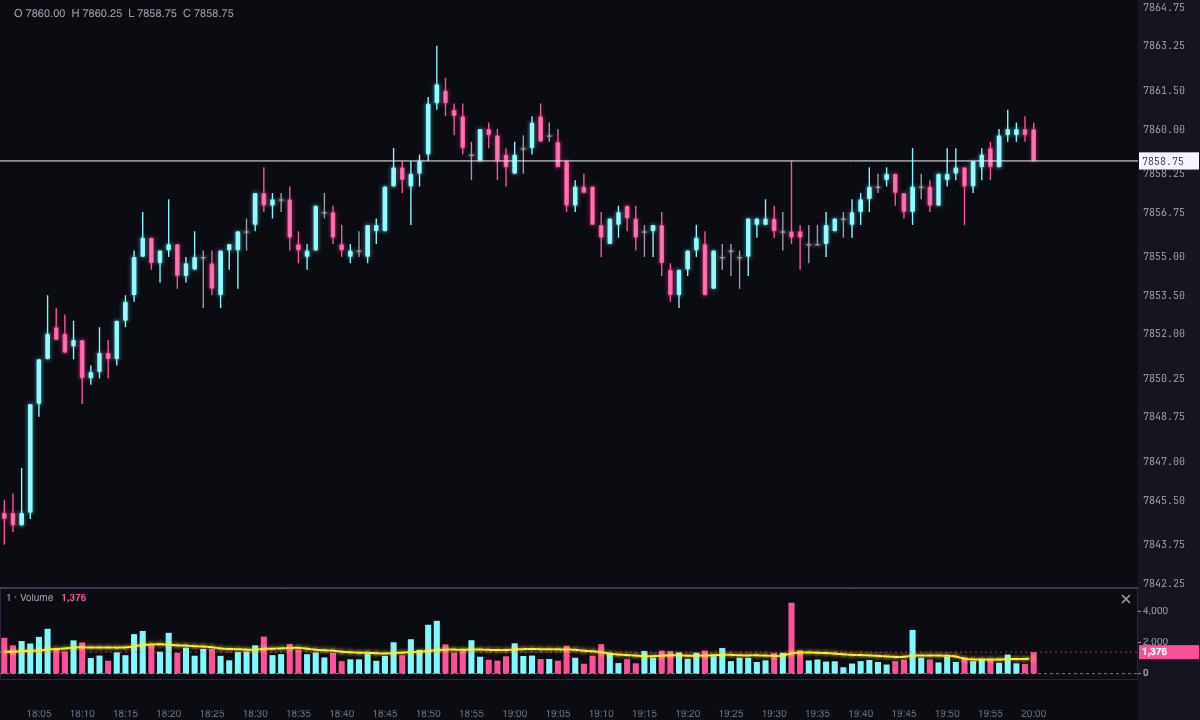
The Volume indicator draws, below the candles, one bar per candle with the contracts traded in it. By default it counts total volume; you can also count only the buys, only the sells or the absolute value of the delta. Alongside the bars runs an average of the volume, so you can compare each candle with what’s usual.
How it’s calculated
average = sum of the volume of the last n candles ÷ n
- Total: the candle’s volume.
- Buys and Sells: the sum, across all the candle’s price levels, of what traded against the offer (buys) or against the bid (sells).
- Delta: the absolute value of the candle’s delta (buys − sells). The bar never drops below zero; to see the sign, use the color.
- Buy and sell: currently counts the same as Total.
- The average is simple and 20 candles by default. It isn’t drawn until there is a full period of candles: an average of three candles isn’t the average of 20.
How to read it
- Height: a tall bar is a candle with a lot of activity; a short bar, little. Compare it with the average, not with the bar next to it.
- Color: by default, ice if the candle closes above its open and pink if it closes below. With Delta side, whoever won at market decides; with Efficiency the color moves toward neutral the more balanced the volume was, and toward ice or pink the more one side weighed.
- High volume: if you turn it on, bars that reach the number of times the average that you specify are painted in the highlight color, and can also tint that candle’s cells on the chart. The highlight takes priority over the color criterion.
- Against price: a move with a lot of volume and one with little don’t say the same thing about how many people took part. The strip shows what happened; it isn’t a recommendation.
Volume depends on the asset and the time frame: compare it with its own history, not with that of another asset.
Adding it to the chart
In the chart bar, Indicators ▾ › More Indicators…. You’ll find it in the Volume / Order Flow category. It’s drawn in its own strip, below the candles, and the average goes in the same strip. How to move and adjust a strip is in Indicators.
Settings
Open them by double-clicking its strip, or with the ⚙ on its row in Indicators ▾. Each section collapses and expands on its own.
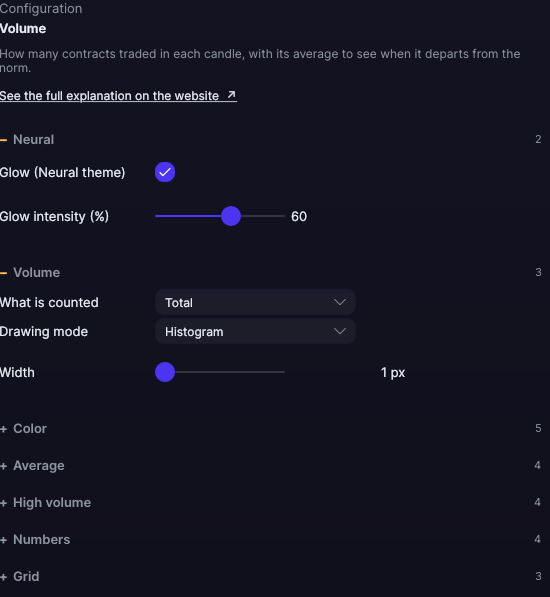
| Setting | Default | What it does |
|---|---|---|
| Volume | ||
| What is counted | Total | Total, Buys, Sells, Buy and sell (currently the same as Total) or Delta (in absolute value). |
| Drawing mode | Histogram | Histogram, Line, Area, Step or Dots. |
| Width | 1 px | From 1 to 10 px. |
| Color | ||
| Color by | Candle direction | Candle direction (close against open), Delta side, Efficiency or Fixed. |
| Bullish / buyer color · Bearish / seller color | Ice · Pink | The colors of the bars according to the chosen criterion. |
| Neutral color (absorbed) | Gray | The balanced end of Efficiency. |
| Fixed color | Blue | The single color with Fixed; also the series’ color on the axis. |
| Average | ||
| Draw the average | Yes | Shows the volume average in the same strip. |
| Period | 20 | From 2 to 500 candles. |
| Color · Width | Yellow · 2 px | The width, from 1 to 10 px. |
| High volume | ||
| Highlight high volume | No | Paints the bars that depart from the norm. |
| Times the average | 2.0× | From 1 to 10×, in steps of 0.1. A bar is high when it reaches that many times its average. |
| Highlight color | Yellow | The color of the high bars. |
| Also paint the candle | No | Tints that candle’s cells on the chart; if the candle has no cells, it tints its range from high to low. |
| Numbers | ||
| Show the number | No | Writes the value of each bar. |
| Position | Above | Above or Below the bar. |
| Color (0 = same as the bar) | 0 (same as the bar) | A color of its own for the numbers. |
| Size | 9 px | From 6 to 24 px. |
| Grid | ||
| Draw grid | No | Horizontal reference lines in the strip. |
| Color | Translucent white | The grid’s color. |
| Divisions | 4 | From 2 to 10. |
| Neural | ||
| Glow (Neural theme) | Yes, when added | A halo of light in the color of each line or mark, like the one on the Neural theme candles. A newly added indicator comes with it checked; the ones you already had saved don’t. |
| Glow intensity (%) | 60% | From 0 to 100%. |
Settings belong to each chart: changing the Volume on one chart doesn’t change it on another.