 FORGE
FORGEGaps
The gaps between a candle and the previous one, marked until price comes back to fill them.
What a gap is
There’s a gap when a candle lands outside the previous candle’s range:
- Bullish: the candle sits above the previous candle’s high.
- Bearish: the candle sits below the previous candle’s low.
With What counts as a gap you choose whether the whole candle has to be outside (the default: its low above the previous high, or its high below the previous low) or it’s enough for the open to be outside. It doesn’t distinguish sessions: the jump between one day’s close and the next day’s open counts like any other.
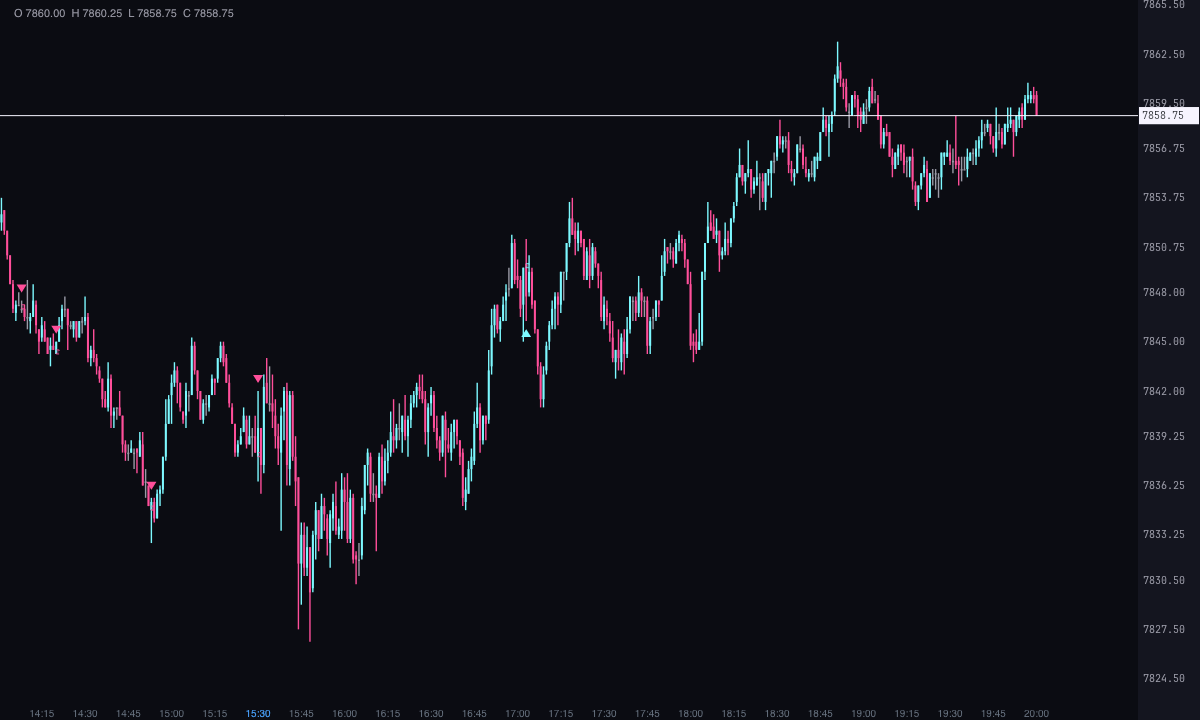
The gap zone
Besides the mark on the candle that opens the gap (a triangle or a dot, below the candle if it’s bullish and above it if it’s bearish), Forge draws the empty space between the two candles, starting at the candle that opens it:
- Box (the default): the whole gap, with its fill and border.
- Two lines on the edges of the gap.
- One line at the closing level: the previous high in a bullish gap and the previous low in a bearish one, which is where price has to come back to fill it.
- No zone: just the mark.
When it’s filled
From the next candle on, Forge watches whether price comes back. With Counts as closed you choose when: when price enters it, when it reaches the middle or when it fills it completely, coming back to the fill level (the default). Once filled, the zone ends at that candle (the default) or disappears. And with How far the zone extends, it lasts until it’s filled (the default), a fixed number of candles or until the end of the chart.
Alerts
They’re off by default. Forge can alert you when a gap opens and when it’s filled, with or without sound, and only for what happens live.
Built-in strategies
What the indicator already has inside and can mark for you on the chart. They show what has happened; they are not recommendations.
Gap between candles
On by default- What it marks
- A triangle or a dot on the candle that opens the gap, and its zone (box, edges or fill level line) from that candle on.
- Alert
- If you turn it on, an alert when a gap opens, with optional sound.
- Turned on with
- «Mark the candle that opens the gap», in Marks, and «How the gap is shown», in Gap zone; the alert, «When a gap opens», in Alerts.
Gap fill
On by default- What it marks
- The zone is cut at the candle that fills the gap (or disappears): when price enters it, at the middle or when it comes back to the fill level.
- Alert
- If you turn it on, an alert when it’s filled.
- Turned on with
- «Counts as closed» and «When it closes», in Gap zone; the alert, «When it closes», in Alerts.
Adding it to the chart
In the chart bar, Indicators ▾ › More Indicators…. You’ll find it in the Other category. It’s drawn over price. How to add and adjust an indicator is in Indicators.
Settings
Open them with the ⚙ on its row in Indicators ▾. Each section collapses and expands on its own.
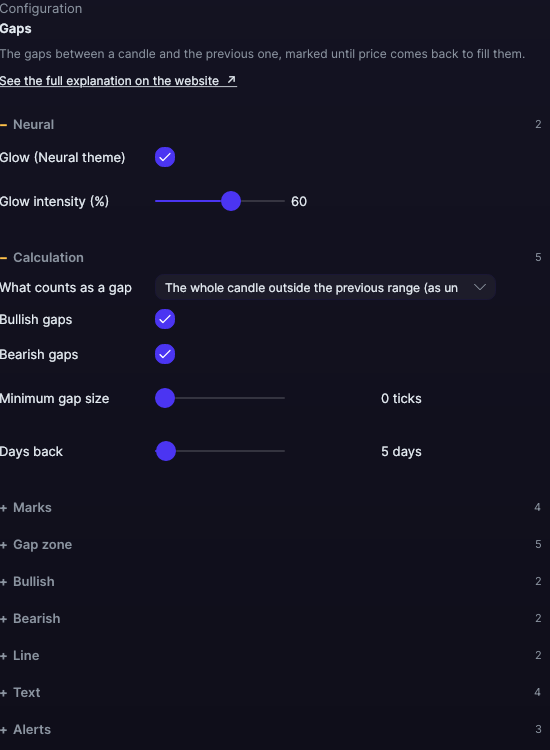
| Setting | Default | What it does |
|---|---|---|
| Calculation | ||
| What counts as a gap | The whole candle outside the previous range (as until now) | Or The open outside the previous range. |
| Bullish gaps · Bearish gaps | Yes · Yes | Each direction turns on separately. |
| Minimum gap size | 0 ticks | Smaller gaps aren’t marked, from 0 to 200 ticks. |
| Days back | 5 days | Days with candles that are looked at, from 1 to 365. |
| Marks | ||
| Mark the candle that opens the gap | Yes | Each gap’s mark. |
| Mark shape | Triangle | Triangle or Dot. |
| Bullish · bearish mark color | Ice · Pink | The colors of the marks. |
| Gap zone | ||
| How the gap is shown | Box | Box, Two lines on the edges, One line at the closing level or No zone. |
| How far the zone extends | Until it closes | Or A fixed number of candles or To the end of the chart. |
| Duration in candles | 20 candles | With A fixed number of candles, from 1 to 500. |
| Counts as closed | When the price closes it fully (returns to the closing level) | Or When the price enters or When the price reaches the halfway point. |
| When it closes | The zone ends at the candle that closes it | Or Disappears. |
| Bullish · Bearish | ||
| Fill color · Border color | Ice · Pink, translucent | With its transparency. |
| Line | ||
| Width | 1 px | The thickness of the box’s border and the lines, from 0.5 to 6 px. |
| Line style | Dashed | Solid, Dashed, Dotted, Dash-dot, Long dash, Long dash-dot or Even dashes. |
| Text | ||
| Write the text of each gap | No | For example, “Bullish gap · 13 ticks”. |
| Font size · Text color (0 = the border of its zone) | 10 px · Its zone’s | From 6 to 30 px. |
| Write the size in ticks | Yes | Adds the gap’s size to the label. |
| Alerts | ||
| When a gap opens · When it closes | No · No | Each alert separately. |
| With sound | No | The alerts’ bell. |
| Neural | ||
| Glow (Neural theme) | Yes, when added | A halo of light in the color of each line or mark, like the one on the Neural theme candles. A newly added indicator comes with it checked; the ones you already had saved don’t. |
| Glow intensity (%) | 60% | From 0 to 100%. |
Settings belong to each chart: changing Gaps on one chart doesn’t change it on another.