 FORGE
FORGEMoving Average
Every moving average in a single indicator: you choose the type, the price and the period.
What it is
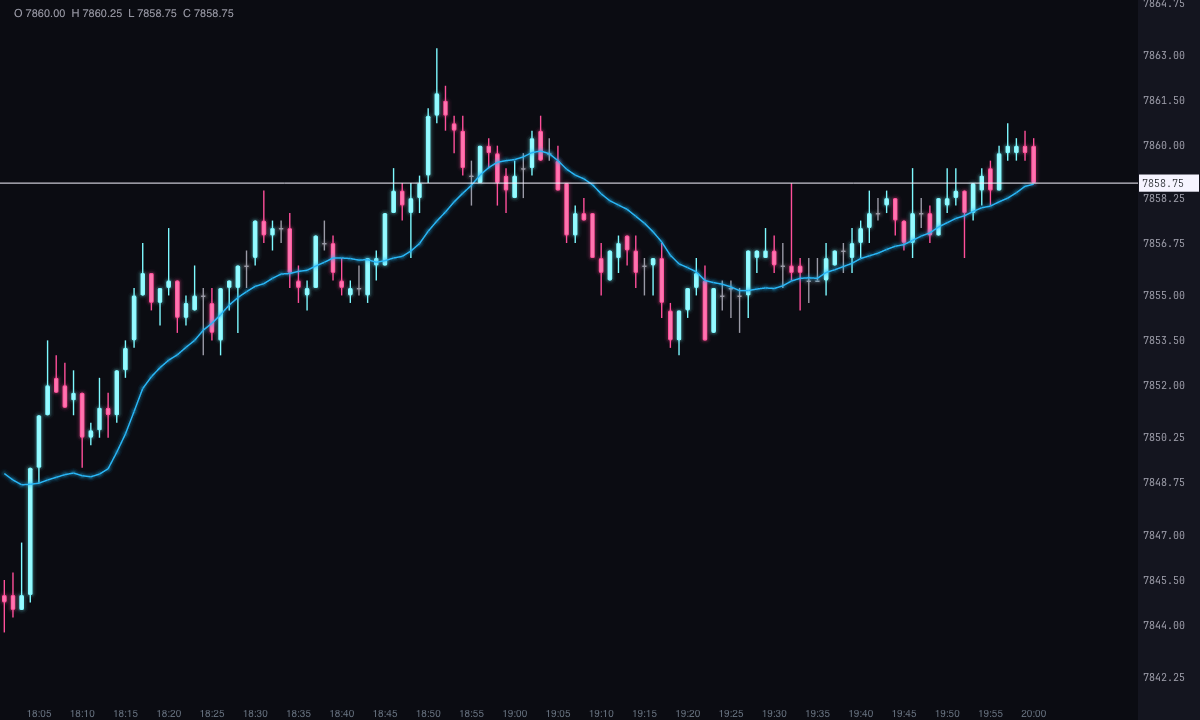
A moving average is the average price of the last candles, recalculated on each new candle. It smooths out the noise and shows the direction of price. Moving Average brings ten ways of calculating it into a single indicator: the simple average and the exponential one are also chosen here, in Type.
By default it’s the simple average of 14 closes.
The ten types
| Type | How it’s calculated |
|---|---|
| Simple (SMA) | The average of the last n prices, all with the same weight. |
| Exponential (EMA) | Each new price weighs 2 ÷ (n + 1); it starts from the simple average. It reacts sooner than the simple one. |
| Weighted (WMA) | Weights 1, 2… n: the latest weighs the most. |
| Wilder smoothed (SMMA) | (previous average × (n − 1) + price) ÷ n. Slower than the exponential. |
| Hull (HMA) | The weighted average over √n candles of (2 × weighted average of n ÷ 2 − weighted average of n). Very little lag. |
| Volume-weighted (VWMA) | Σ(price × volume) ÷ Σ volume: candles with more volume weigh more. |
| Double exponential (DEMA) | 2 × EMA − EMA of the EMA. |
| Triple exponential (TEMA) | 3 × EMA − 3 × EMA(EMA) + EMA(EMA(EMA)). |
| Triangular (TMA) | Two simple averages in a row: very smooth. |
| Zero-lag exponential (ZLEMA) | The exponential of (2 × price − the price (n − 1) ÷ 2 candles ago). |
The double and the triple exponential are a single line. “Double” and “triple” refer to how many times it’s smoothed to remove lag, not to how many lines are drawn.
Price can be the close (the default), the open, the high, the low, the median (high + low) ÷ 2, the typical (high + low + close) ÷ 3, the weighted (high + low + 2 × close) ÷ 4 or the candle average (all four) ÷ 4.
How to read it
- Direction: a rising average means the period’s prices are going up; a falling one, that they’re going down. With Coloring set to By slope, the line turns ice when rising and pink when falling.
- Price against the average: above it, recent prices are above their average; below it, the opposite.
- Period and type: a short period or a fast type (Hull, ZLEMA, DEMA) follows price closely; a long or slow one (simple, Wilder, triangular) smooths it more and reacts later.
Built-in strategies
What the indicator already has inside and can mark for you on the chart. They show what has happened; they are not recommendations.
Price crossing the average
Off by default- What it marks
- A dot below the candle when the close crosses above the average, and above the candle when it crosses below.
- Alert
- It blinks when it appears; on-screen alert and sound if you turn them on.
- Turned on with
- «Mark the crossovers», in Price crossovers.
Adding it to the chart
In the chart bar, Indicators ▾ › More Indicators…. You’ll find it in the Averages / Trend category. It’s drawn over price. How to add and adjust an indicator is in Indicators.
Settings
Open them with the ⚙ on its row in Indicators ▾.
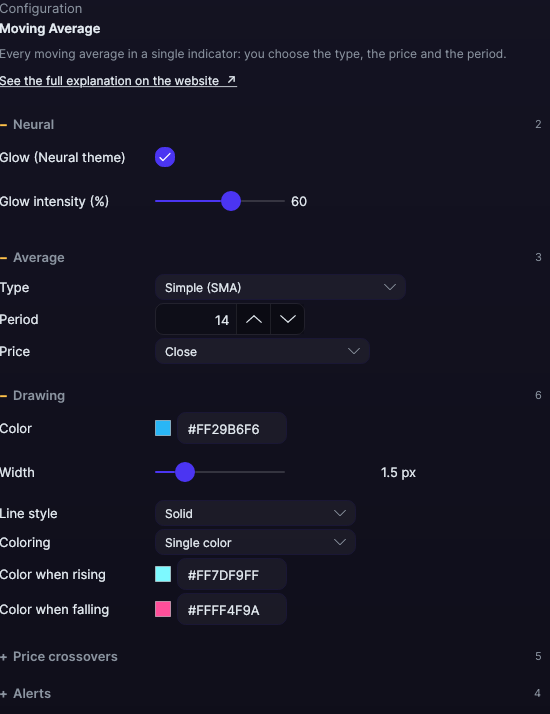
| Setting | Default | What it does |
|---|---|---|
| Average | ||
| Type | Simple (SMA) | One of the ten types above. |
| Period | 14 | From 1 to 500. |
| Price | Close | Close, Open, High, Low, Median (HL/2), Typical (HLC/3), Weighted (HLCC/4) or Candle average (OHLC/4). |
| Drawing | ||
| Color · Width · Line style | Cyan · 1.5 px · Solid | From 0.5 to 6 px. Solid, Dashed, Dots, Dash-dot, Long dash, Long dash-dot or Even dashes. |
| Coloring | Single color | Or By slope. |
| Color when rising · Color when falling | Ice · Pink | With By slope. |
| Price crossovers | ||
| Mark the crossovers | No | A dot at each cross of the close with the average. |
| Bullish crossover color · bearish · Mark size | Ice · Pink · 4 px | From 2 to 12 px. |
| Days with signals | 5 days | From 1 to 365. |
| Alerts | ||
| Blink on new signals · On-screen alert · With sound · Alert color | Yes · No · No · Light blue | How it alerts you to the crosses. |
| Neural | ||
| Glow (Neural theme) | Yes, when added | A halo of light in the color of each line or mark, like the one on the Neural theme candles. A newly added indicator comes with it checked; the ones you already had saved don’t. |
| Glow intensity (%) | 60% | From 0 to 100%. |
Settings belong to each chart: changing Moving Average on one chart doesn’t change it on another.