 FORGE
FORGEIPDA Ranges
The high and low of the last 20, 40 and 60 trading days, as a liquidity reference for the day you’re looking at.
What it measures
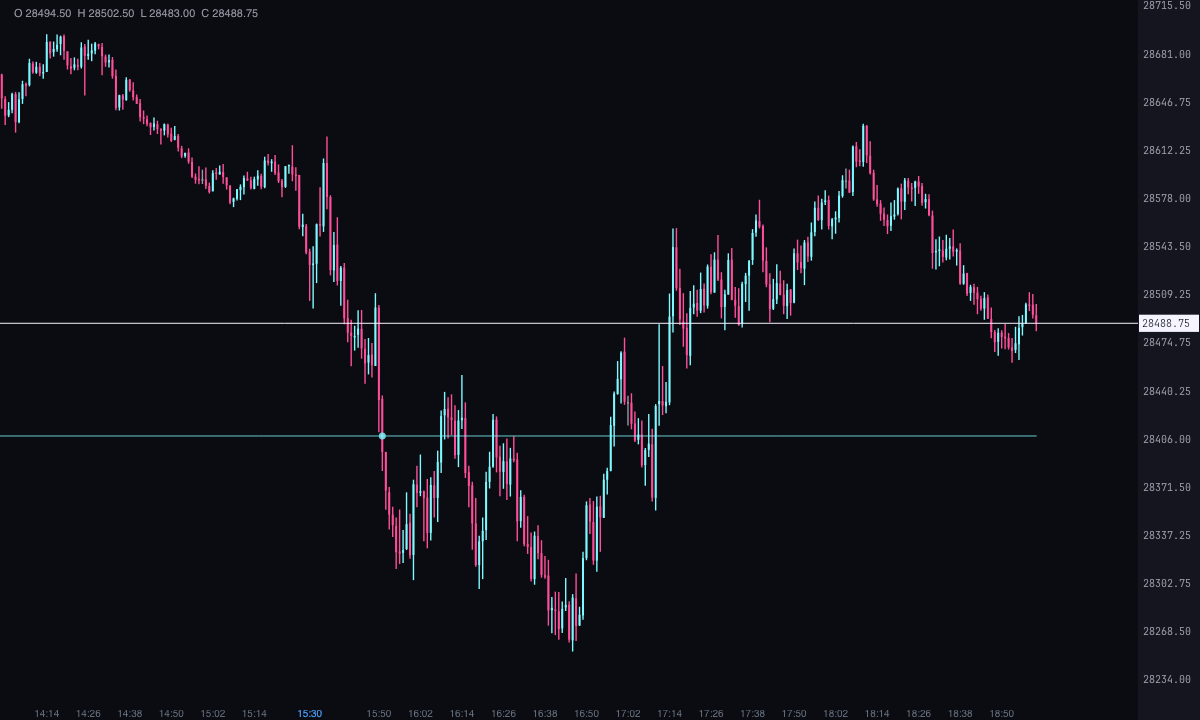
The IPDA data ranges are, in ICT, the high and low of the last 20, 40 and 60 trading days. ICT uses them as a reference for liquidity and for where price may go. The indicator calculates them from the chart’s candles and draws them over each day, plus the midpoint of the 60-day range, the equilibrium.
It’s a Pro plan indicator. It marks what has happened; it isn’t a recommendation or a buy or sell signal.
How it’s calculated
- Trading day: it starts at 18:00 New York time and runs until 17:00 the next day, like the futures session. Days with no candles (weekends and holidays) don’t count.
- The N days: counted back from the day before the one being drawn; the day itself doesn’t count. The level is the highest of their highs and the lowest of their lows. It’s done the same way for 20, 40 and 60 days.
- Equilibrium: the midpoint of the 60-day range, (high + low) / 2. It appears even if “60 days” is off.
- Days drawn: 1 by default (today only), up to 20. Each day carries its own ranges, calculated from the days before it. Each level runs from the first to the last candle of its day.
- Taken: the first candle of the day whose high goes past the level (or whose low drops below it). The equilibrium isn’t taken.
- Incomplete: if the chart doesn’t have the previous N trading days loaded, it calculates with the ones it has and says so in the level’s name.
- Time frame: it uses the chart’s candles, whatever their time frame. The previous days are already closed, so the levels don’t repaint.
How to read it
- Each range is two lines: the high, with its name above (“IPDA 20 high”), and the low, with its name below (“IPDA 20 low”). By default the 20-day one is ice, the 40-day one violet and the 60-day one orange.
- The equilibrium is a dashed light grey line, named “IPDA equilibrium”.
- A circle marks the candle where price takes a level for the first time that day.
- “Write the price” adds the price to the name; it’s off by default. If previous days are missing, the name ends in “incomplete”.
- The alerts, in “Alerts”, are off by default: they fire when the take falls on one of the last two candles.
Which chart to put it on
On an intraday chart of the asset. For the ranges not to come out “incomplete”, the chart must have the 60 trading days before the first drawn day loaded.
Built-in strategies
What the indicator already has inside and can mark for you on the chart. They show what has happened; they are not recommendations.
20, 40 and 60-day ranges
On by default- What it marks
- For each day drawn, a line at the high and another at the low of the previous 20, 40 and 60 trading days, with its name (“IPDA 20 high”, “IPDA 20 low”…).
- Alert
- If you turn it on: an alert when price takes one of those highs or lows, with optional sound.
- Turned on with
- “20 days”, “40 days” and “60 days”, in “Ranges”; the alert, in “Alerts”.
Equilibrium of the 60-day range
On by default- What it marks
- A dashed line at the midpoint of the 60-day range, named “IPDA equilibrium”.
- Alert
- No alert: it’s there on the chart.
- Turned on with
- “The midpoint of the 60-day range”, in “Ranges”.
Level taken
On by default- What it marks
- A circle on the first candle of the day that goes past the price of each high or low.
- Alert
- If you turn it on: an alert when price takes an IPDA high or low, with optional sound.
- Turned on with
- “When price takes an IPDA high or low” and “With sound”, in “Alerts”.
Adding it to the chart
In the chart bar, Indicators ▾ › More Indicators…. You’ll find it in the ICT category. It’s a Pro plan indicator. How to add and adjust an indicator is in Indicators.
Settings
Open them with the ⚙ on its row in Indicators ▾. All times are New York time.
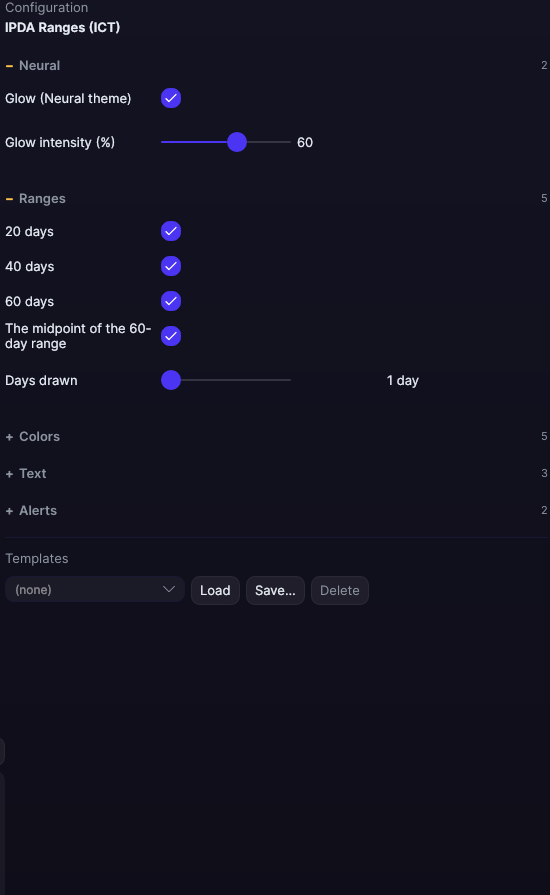
| Setting | Default | Range |
|---|---|---|
| Ranges | ||
| 20 days | Yes | |
| 40 days | Yes | |
| 60 days | Yes | |
| The midpoint of the 60-day range | Yes | |
| Days drawn | 1 days | 1 to 20 |
| Colors | ||
| 20-day color | 3.43081e+09 | |
| 40-day color | 3.43413e+09 | |
| 60-day color | 3.43931e+09 | |
| Equilibrium color | #E6EDF3 | |
| Width | 1 px | 0.5 to 6 |
| Text | ||
| Write the name | Yes | |
| Font size | 10 px | 6 to 30 |
| Write the price | No | |
| Alerts | ||
| When price takes an IPDA high or low | No | |
| With sound | No | |
| Neural | ||
| Glow (Neural theme) | Yes, when added | |
| Glow intensity (%) | 60% | 0 to 100 |