 FORGE
FORGEVWAP
The session’s volume-weighted average price: where trading has really taken place.
What it measures
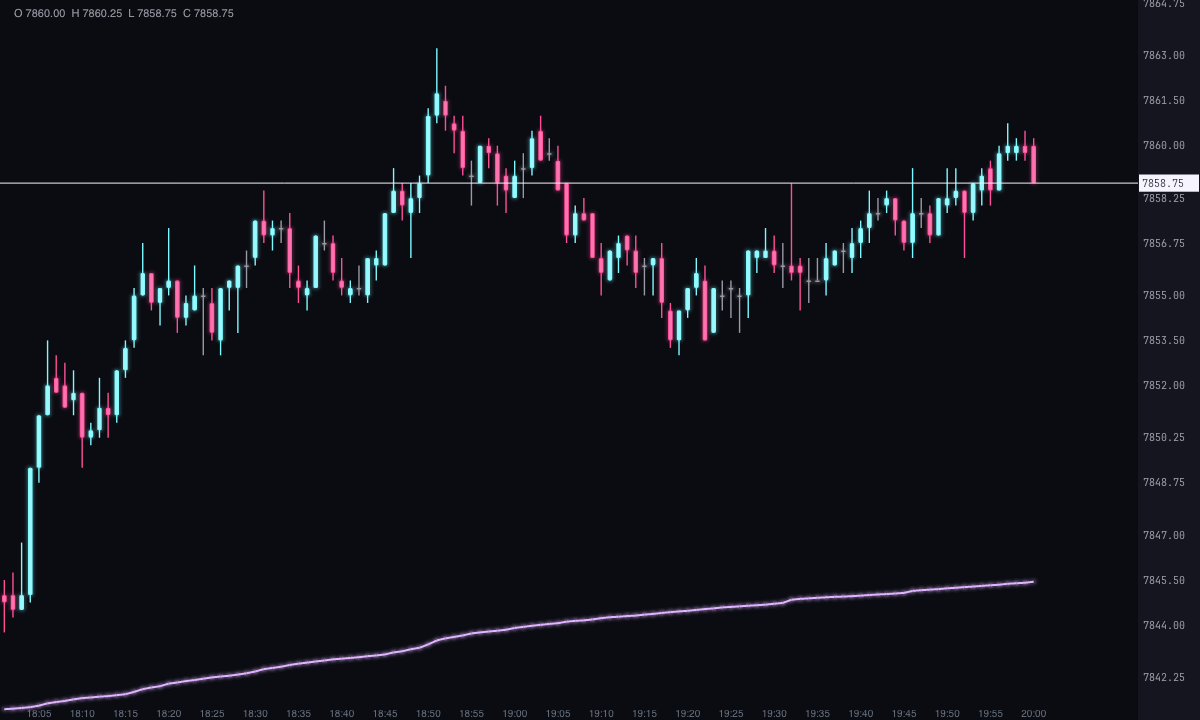
The VWAP (volume weighted average price) is the average price at which trading has taken place since a starting point, giving more weight to the prices where there was more volume. It isn’t an average of closes: each price weighs as much as the number of contracts that changed hands at it.
It resets at the start of each period (the session, the day, the week…) and accumulates from there. Many desks use it as a reference for the day’s “fair price”: if price is above it, the average of what has traded sits below, and vice versa.
How it’s calculated
VWAP = Σ (price × volume) ÷ Σ volume
- With footprint, each price of each candle enters with its volume. In Volume used for weighting you can choose Total, only the Bid or only the Ask.
- Without footprint, the candle’s close enters with the candle’s volume (at least 1).
- TWAP: with Weight by set to TWAP, each candle weighs the same, with its close, whatever its volume.
The bands are calculated from the weighted standard deviation of the prices in that same period:
Band = VWAP ± k × deviation
with k = 1, 2 and 3 by default (you can change them). They’re drawn above and below, up to three pairs.
When it resets
The Anchor (reset) decides where accumulation starts. Asia, Globex and RTH use Forge’s session hours; Session (the default) and Custom use the hours you write in Session, in New York time (09:30 to 16:00 by default). With these five, candles outside the window are neither included nor drawn: the line appears when the window starts and disappears when it ends. Daily (and its synonym Day), Week and Month cover all candles and reset with the day, the week or the month.
How to read it
- Price above the VWAP: what has traded in the period sits, on average, below the current price. Below the VWAP, the opposite.
- Slope: a rising line says the accumulated average price keeps going up. With Color by slope you see it at a glance.
- Bands: they measure how far price has moved away from its average, in deviations. The farther away, the more extreme relative to what traded in the period.
- Previous close: the dashed line is the value the VWAP of the previous period ended at, drawn across the new period. It serves as a reference level; the VWAP yesterday label carries its price.
The VWAP isn’t a signal: it marks an average, it doesn’t say what price is going to do.
Adding it to the chart
In the chart bar, Indicators ▾ › More Indicators…. You’ll find it in the Volume / Order Flow category. It’s drawn over the price. How to add and adjust an indicator is in Indicators.
Settings
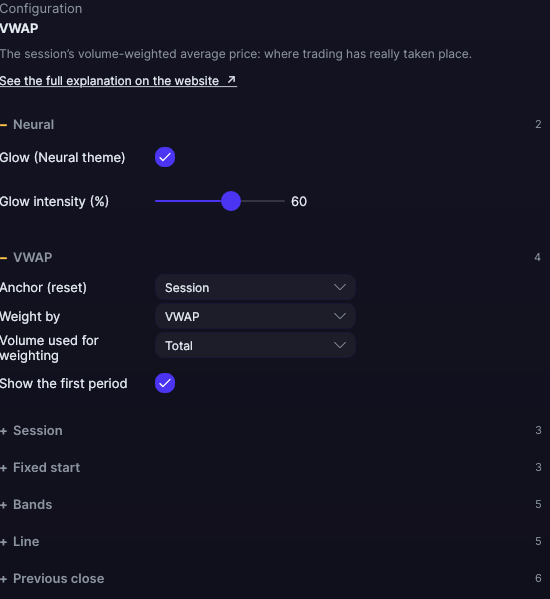
Open them with the ⚙ on its row in Indicators ▾. Each section collapses and expands on its own.
| Setting | Default | What it does |
|---|---|---|
| VWAP | ||
| Anchor (reset) | Session | Session, Daily, Asia, Globex, RTH, Custom, Day, Week or Month: when accumulation starts again. |
| Weight by | VWAP | VWAP (by volume) or TWAP (by time, each candle weighs the same). |
| Volume used for weighting | Total | Total, Bid or Ask. Only counts with footprint and in VWAP mode. |
| Show the first period | Yes | If you turn it off, the chart’s first period (which often starts partway through) is accumulated but not drawn. |
| Session | ||
| Start (Custom only) · End (Custom only) | 09:30 · 16:00 | The window, in New York time, chosen from a drop-down with every hour of the day, minute by minute. They apply with Custom and with Session; with Asia, Globex, RTH or Daily, Forge’s hours rule. |
| Days (0 = all) | 0 | Calculates only the last days you specify. 0 = the whole chart. |
| Fixed start | ||
| Anchor at a fixed point | No | Accumulates from a specific moment, and draws nothing before it. |
| Start (yyyy-MM-dd HH:mm NY) | Empty | The moment, in New York time, in that format. |
| Reset at each session | Yes | With the fixed point on, it starts over with each session. Off, it accumulates from the point without resetting. |
| Bands | ||
| Draw the bands | No | Shows up to three pairs of bands, above and below, dashed. |
| Deviation 1 · Deviation 2 · Deviation 3 | 1 · 2 · 3 | How many deviations separate each band from the line. |
| Bands color | Violet | The color of all six; they’re drawn semi-transparent. |
| Line | ||
| Line color | Lilac | The color of the VWAP line. |
| Line width | 2 px | From 1 to 10 px. |
| Color by slope | No | Each segment takes the color of whether it rises or falls relative to the previous candle. |
| Color when rising · Color when falling | Ice · Pink | With Color by slope. |
| Previous close | ||
| Mark the previous close | Yes | Draws the value the previous period’s VWAP ended at. |
| Color · Width | Orange · 1 px | From 1 to 10 px. |
| Line style | Long dash | Solid, Long dash, Short dash, Dotted or Long dash-dot. |
| “VWAP yesterday” label | Yes | A text with the price, at the end of the line. |
| Label size | 9 px | From 7 to 16 px. |
| Neural | ||
| Glow (Neural theme) | Yes, when added | A halo of light in the color of each line or mark, like the one on the Neural theme candles. A newly added indicator comes with it checked; the ones you already had saved don’t. |
| Glow intensity (%) | 60% | From 0 to 100%. |
Settings belong to each chart: changing the VWAP on one chart doesn’t change it on another.