 FORGE
FORGEVolume Profile Composite
The volume profile of everything visible on the chart, attached to the price axis.
What it is
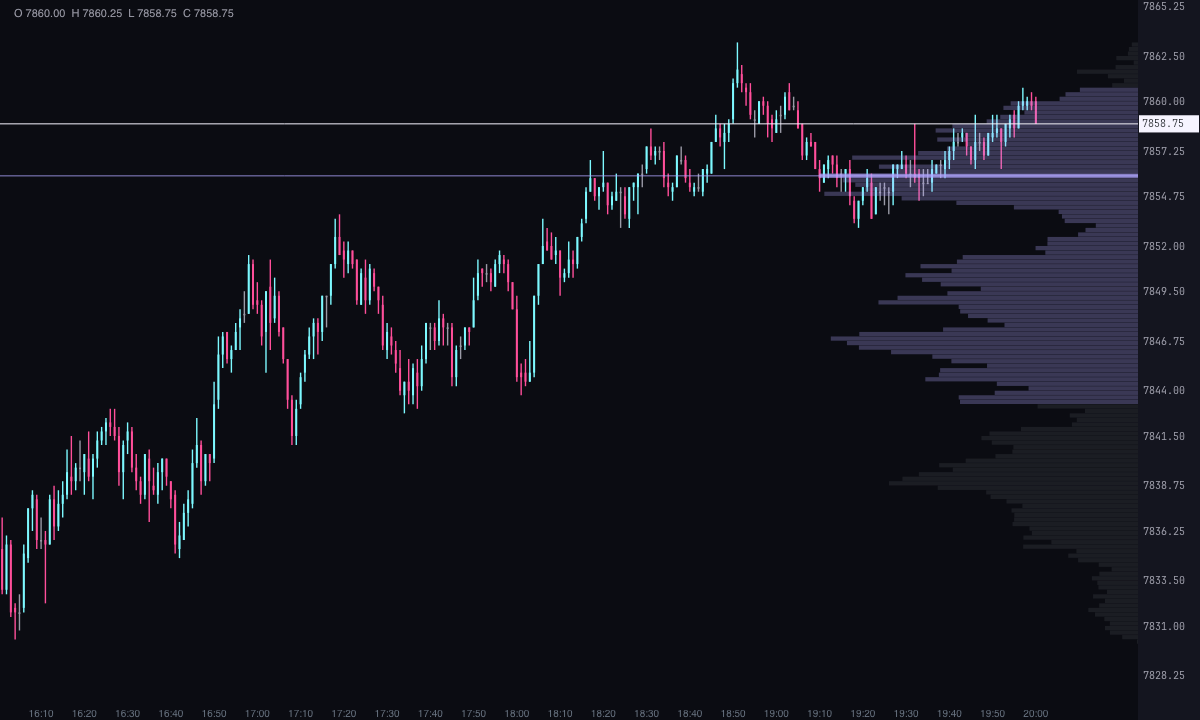
The volume profile shows how much traded at each price, as horizontal bars. The Volume Profile Composite calculates it with all the candles visible on the chart and draws it attached to the price axis: if you scroll or zoom, the profile changes with what you have in view.
- POC (point of control): the price with the most volume.
- Value area: the zone around the POC where 70 % of the volume traded. Its upper edge is the VAH and its lower edge, the VAL.
How to read it
- The POC is the price where the most traded in what you see: the reference for accepted price.
- Inside the value area the market is in balance; outside it, it’s looking for new prices.
- Low-volume zones between two high-volume ones: price passed through there with barely any trading.
Adding it to the chart
In the chart bar, Indicators ▾ › More Indicators…. You’ll find it in the Volume / Order Flow category. How to add and adjust an indicator is in Indicators.
Settings
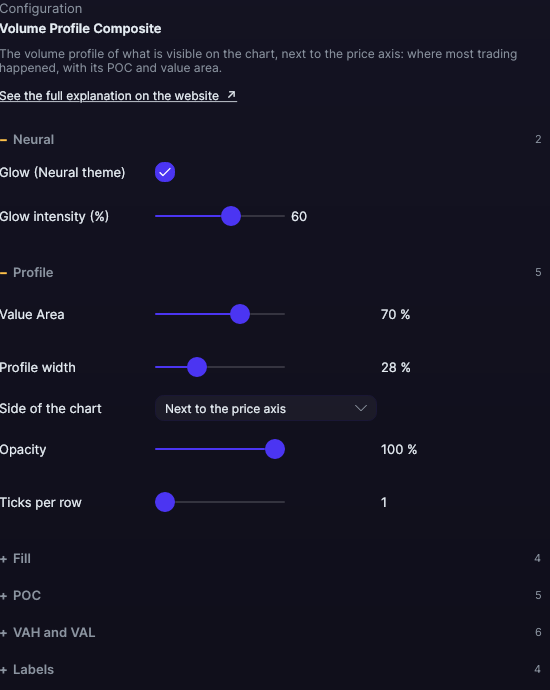
Open them with the ⚙ on its row in Indicators ▾. With the defaults, the profile looks the way it always has.
| Setting | Default | What it does |
|---|---|---|
| Profile | ||
| Value Area | 70 % | What share of the volume makes up the value area. From 5 to 100 %. |
| Profile width | 28 % | Of the chart’s width, from 2 to 90 %. |
| Side of the chart | Next to the price axis | Or To the left of the chart. |
| Opacity | 100 % | Applied to all the profile’s colors. From 5 to 100 %. |
| Ticks per row | 1 | Groups several prices into one row, from 1 to 50 ticks. |
| Fill | ||
| Show the fill | Yes | The profile’s bars. |
| Color inside the value area | Blue | The bars inside the value area. |
| Color outside the value area | Gray | The bars outside it. |
| POC row color | Amber | The bar of the price with the most volume. |
| POC | ||
| POC line | Yes | A line at the price with the most volume. |
| Line color (0 = same as the POC row) | Same as the POC row | Its color. |
| Line width | 1 px | From 0.5 to 6 px. |
| Line style | Solid | Solid, Dashed, Dotted, Dash-dot, Long dash, Long dash-dot or Even dashes. |
| Line across the full chart width | Yes | Or only over the profile. |
| VAH and VAL | ||
| Value area lines (VAH and VAL) | No | The upper and lower edges of the value area. |
| VAH line color · VAL line color | Blue · Blue | The color of each one. |
| Width of the lines | 1 px | From 0.5 to 6 px. |
| Style of the lines | Dashed | Solid, Dashed, Dotted, Dash-dot, Long dash, Long dash-dot or Even dashes. |
| Lines across the full chart width | No | Or only over the profile. |
| Labels | ||
| POC / VAH / VAL labels | No | The name of each line next to it. |
| With the price | Yes | Adds the price to the label. |
| Font size | 10 px | From 7 to 20 px. |
| Label color (0 = same as its line) | Same as its line | Its color. |
| Neural | ||
| Glow (Neural theme) | Yes, when added | A halo of light in the color of each line or mark, like the one on the Neural theme candles. A newly added indicator comes with it checked; the ones you already had saved don’t. |
| Glow intensity (%) | 60% | From 0 to 100%. |
Settings belong to each chart: changing the profile on one chart doesn’t change it on another.