 FORGE
FORGEStandard Deviation
How far prices spread from their average: volatility, without direction.
What it measures
The standard deviation measures how far the prices of the last candles spread from their average. When it rises, prices are more scattered: the market is moving more. When it falls, they bunch together: the market is compressing. It measures volatility, not direction, which is why it’s drawn in a single color.
It’s the same measure that sets the width of the Bollinger Bands.
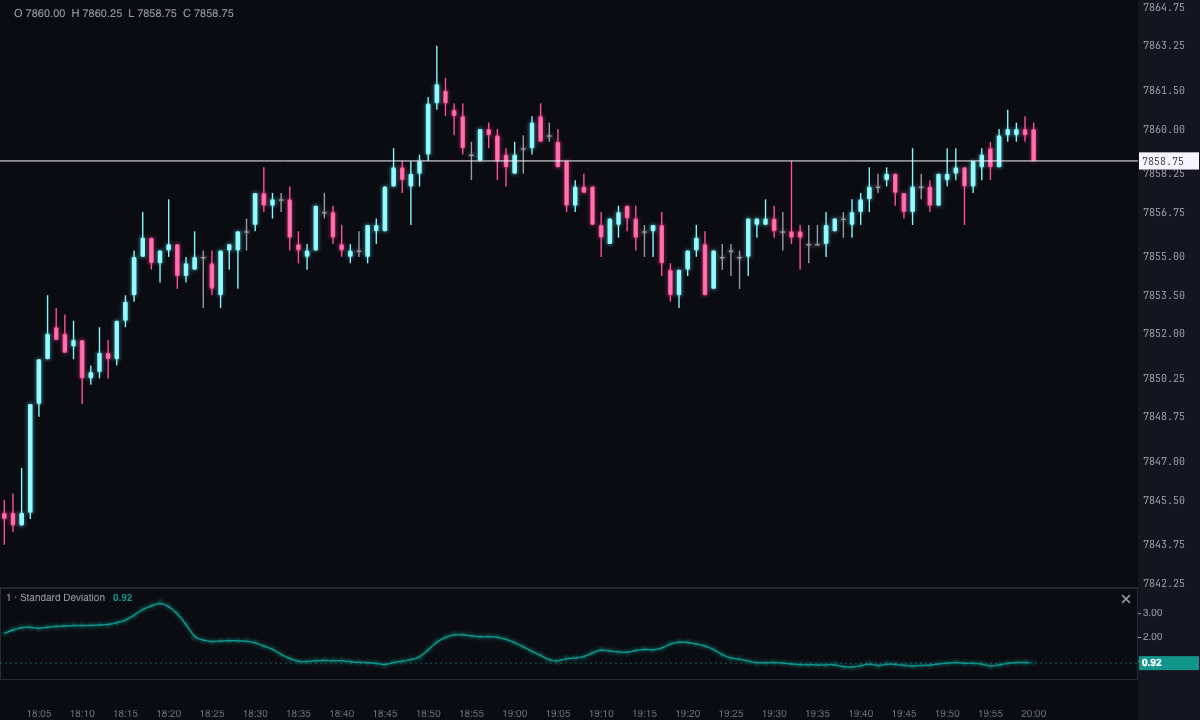
How it’s calculated
With the default period, it’s the deviation of the last 20 closes from their simple average, in price points. You can change the source price, use an exponential average as the reference, multiply it (at 2, it reads as 2σ) or switch it to ticks. The strip starts blank until there are enough candles.
σ = √( mean of (price − mean)² )
How to read it
- Level: the typical distance of price from its average over the period, in points or in ticks.
- Rising: the market is expanding; falling: it’s compressing. It doesn’t say which way.
- Compression: a deviation well below its own average is what’s called a squeeze; it often comes before an expansion.
Built-in strategies
What the indicator already has inside and can mark for you on the chart. They show what has happened; they are not recommendations.
Deviation average
Off by default- What it marks
- An average of the deviation itself (20 by default) in the same strip, to see whether volatility is above or below normal.
- Alert
- No alert: it shows on the chart.
- Turned on with
- «Deviation average», in Volatility.
Expansion
Off by default- What it marks
- A mark when the deviation crosses above its average × 1.5: volatility jumps.
- Alert
- Blinks when it appears; on-screen alert and sound if you turn them on.
- Turned on with
- «Mark the expansion (deviation above its average × factor)», in Volatility.
Compression (squeeze)
Off by default- What it marks
- A mark when the deviation drops below its average × 0.5: the market is compressing, something that often comes before an expansion.
- Alert
- Blinks when it appears; on-screen alert and sound if you turn them on.
- Turned on with
- «Mark the compression», in Volatility.
Adding it to the chart
In the chart bar, Indicators ▾ › More Indicators…. You’ll find it in the Volatility / Range category. It’s drawn in its own strip, below the candles. How to move and adjust a strip is in Indicators.
Settings
Open them by double-clicking its strip, or with the ⚙ on its row in Indicators ▾.
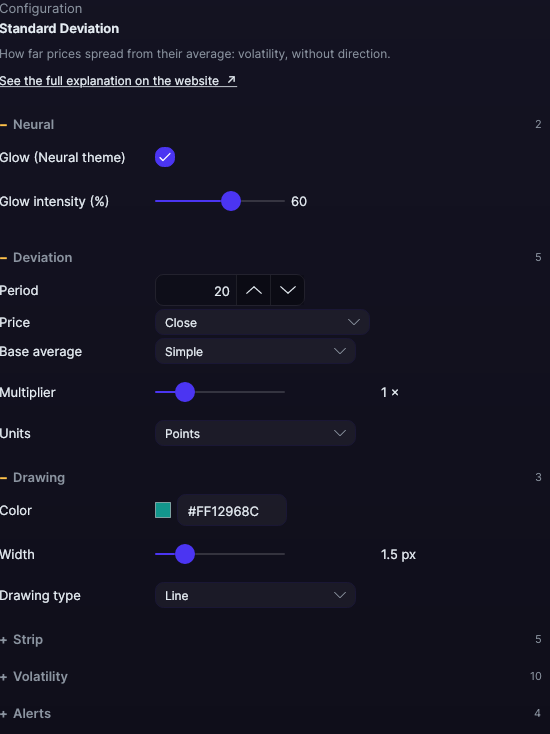
| Setting | Default | What it does |
|---|---|---|
| Deviation | ||
| Period | 20 | From 2 to 500. |
| Price | Close | Close, Open, High, Low, Median (HL/2), Typical (HLC/3), Weighted (HLCC/4) or Candle average (OHLC/4). |
| Base average | Simple | The average it’s measured against: Simple or Exponential. |
| Multiplier | 1 × | From 0.1 to 5 ×. At 2, the strip shows 2σ. |
| Units | Points | Points or Ticks. |
| Drawing | ||
| Color · Width | Teal · 1.5 px | From 0.5 to 6 px. |
| Drawing type | Line | Line, Area, Histogram, Stepped or Points. |
| Strip | ||
| Value on the axis · Strip height | Yes · 92 px | From 40 to 400 px. |
| Grid · Grid color (0 = automatic) · Grid divisions | No · Automatic · 4 | Reference lines. |
| Volatility | ||
| Deviation average · Average period · Color (deviation average · average period · color) | No · 20 · Orange | An average of the deviation itself, in the same strip. |
| Mark the expansion (deviation above its average × factor) · Factor · Expansion color | No · 1.5 × · Magenta | From 1 to 5 ×. |
| Mark the compression · Compression factor · Compression color | No · 0.5 × · Blue | From 0.1 to 1 ×. |
| Mark size | 4 px | From 2 to 12 px. |
| Alerts | ||
| Blink on new signals · On-screen alert · With sound · Alert color | Yes · No · No · Light blue | How it alerts on expansion and compression. |
| Neural | ||
| Glow (Neural theme) | Yes, when added | A halo of light in the color of each line or mark, like the one on the Neural theme candles. A newly added indicator comes with it checked; the ones you already had saved don’t. |
| Glow intensity (%) | 60% | From 0 to 100%. |
Settings belong to each chart: changing Standard Deviation on one chart doesn’t change it on another.