 FORGE
FORGEPivots
The pivot point and its support and resistance levels, taken from the previous period.
What they are
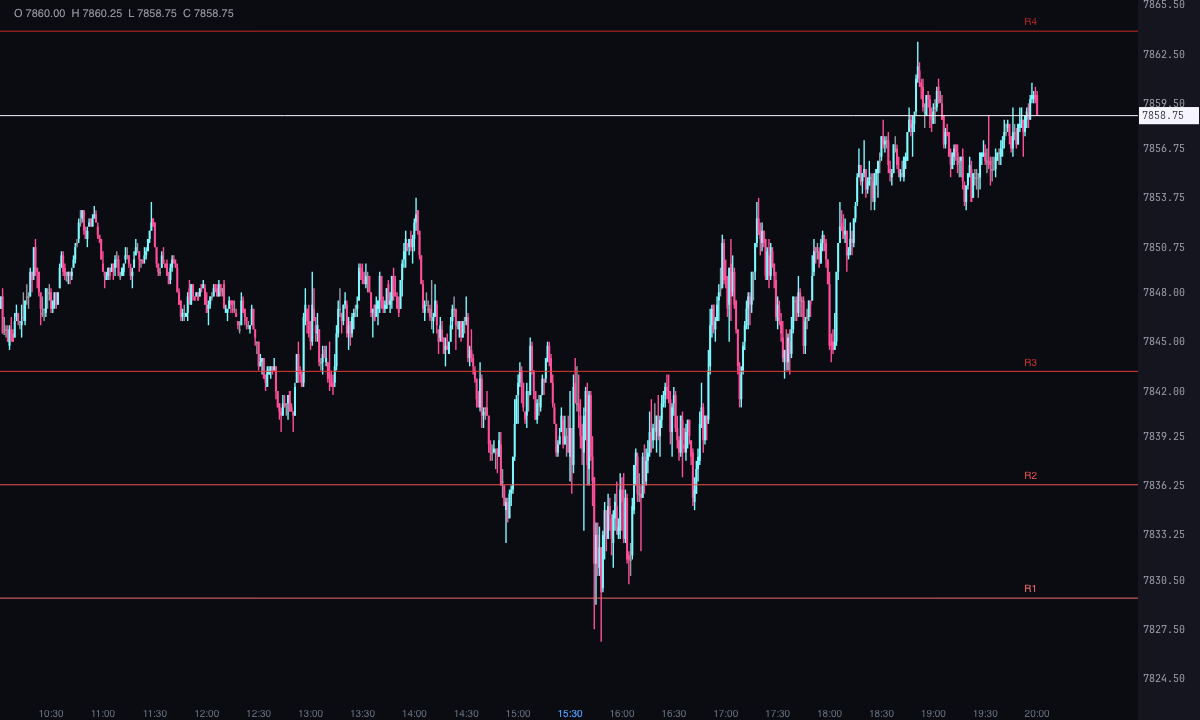
Pivot points are price levels calculated from the previous period’s high, low and close: a central PP, resistance levels above it (R1, R2, R3…) and support levels below it (S1, S2, S3…).
Forge draws them as horizontal segments, one per period, each with its label. The current period extends to the right edge, and the last 5 periods are shown.
How they’re calculated
From the previous period’s high (H), low (L) and close (C). The period is Day (the default), Week or Month; the day is the trading session, not midnight to midnight. If the previous period isn’t fully within the loaded candles, it isn’t drawn.
- Classic (the default): PP = (H + L + C) ÷ 3; R1 = 2·PP − L; S1 = 2·PP − H; R2 and S2 = PP ± (H − L); R3 = H + 2·(PP − L); S3 = L − 2·(H − PP).
- Fibonacci: the same PP, and R/S = PP ± 0.382 / 0.618 / 1.000 × (H − L).
- Camarilla: R/S1 to R/S4 = C ± (H − L) × 1.1 ÷ 12, ÷ 6, ÷ 4 and ÷ 2.
- Woodie: PP = (H + L + 2·C) ÷ 4, giving more weight to the close.
- DeMark: only PP, R1 and S1.
R4 and S4 only exist in Camarilla. If you want, the midpoints between one level and the next are drawn too.
How to read them
- The PP: above the PP the period’s bias is bullish, and below it, bearish. With Bias, the PP turns ice or pink depending on where price is.
- Support and resistance: zones where price may stall or turn, used to place entries and exits.
- The outer levels: a close beyond the last level can mark the start or the acceleration of a trend.
Built-in strategies
What the indicator already has inside and can mark for you on the chart. They show what has happened; they are not recommendations.
PP bias
Off by default- What it marks
- The PP in ice with price above it (bullish bias) and in pink with price below it (bearish).
- Alert
- If you turn it on, an alert when price touches the PP.
- Turned on with
- «Tint the PP by price (above bullish, below bearish)», in Bias; the alert, «Alert when the PP is touched», in Alerts.
Support and resistance touches
Off by default- What it marks
- Nothing new on the chart: the levels are already visible.
- Alert
- An on-screen alert when price touches a resistance or a support level, with sound if you want, and the level blinks.
- Turned on with
- «Alert when a resistance is touched (R1, R2…)» and «Alert when a support is touched (S1, S2…)», in Alerts.
Outer level breakout
Off by default- What it marks
- A mark on the candle that closes beyond the last level, above or below.
- Alert
- An on-screen alert, with sound if you want.
- Turned on with
- «Alert when a candle closes beyond the outer level (breakout)» and «Mark the breakouts», in Alerts.
Adding it to the chart
In the chart bar, Indicators ▾ › More Indicators…. You’ll find it in the Other category. It’s drawn over price. How to add and adjust an indicator is in Indicators.
Settings
Open them with the ⚙ on its row in Indicators ▾. Each section collapses and expands on its own.
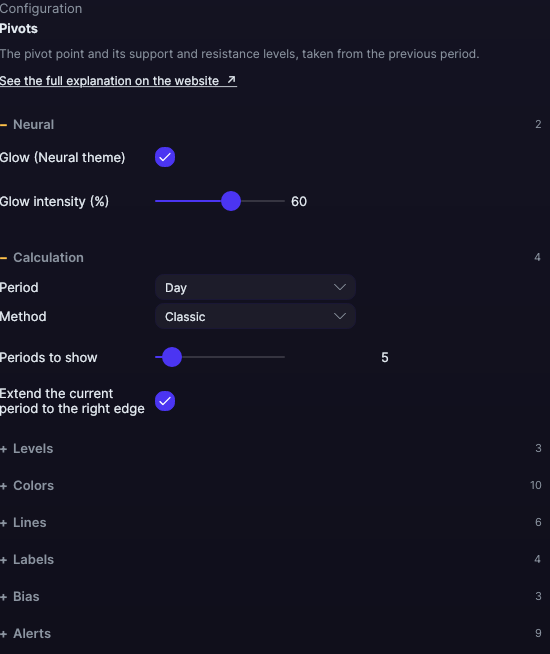
| Setting | Default | What it does |
|---|---|---|
| Calculation | ||
| Period | Day | Day, Week or Month. |
| Method | Classic | Classic, Fibonacci, Camarilla, Woodie or DeMark. |
| Periods to show | 5 | From 1 to 60. |
| Extend the current period to the right edge | Yes | The current levels reach the edge. |
| Levels | ||
| Show R3 and S3 · Show R4 and S4 (Camarilla) | Yes · Yes | The outer levels. |
| Show the midpoints | No | A level between each pair. |
| Colors | ||
| PP color · R1 to R4 · S1 to S4 · midpoints | Amber · Reds · Greens · Gray | One color per level. |
| Lines | ||
| PP width · PP line style | 1.5 px · Solid | From 0.5 to 6 px. Solid, Dashed, Dotted, Dash-dot, Long dash, Long dash-dot or Even dashes. |
| Width of the levels · Line style of the levels | 1 px · Solid | For the support and resistance levels. |
| Width of the midpoints · Line style of the midpoints | 1 px · Dotted | For the midpoints. |
| Labels | ||
| Level name (PP, R1…) · Level price | Yes · No | What each label shows. |
| Label position · Font size | Right · 10 px | Right or Left; from 7 to 20 px. |
| Bias | ||
| Tint the PP by price (above bullish, below bearish) | No | With its bullish and bearish colors (Ice and Pink by default). |
| Alerts | ||
| Alert on touching the PP · a resistance · a support | No · No · No | Each alert separately. |
| Alert when a candle closes beyond the outer level (breakout) · Mark the breakouts | No · No | The alert and the breakout mark. |
| Blink what was just alerted · On-screen alert · With sound · Alert color | Yes · Yes · No · Light blue | How it alerts you, if you turn on any alert. |
| Neural | ||
| Glow (Neural theme) | Yes, when added | A halo of light in the color of each line or mark, like the one on the Neural theme candles. A newly added indicator comes with it checked; the ones you already had saved don’t. |
| Glow intensity (%) | 60% | From 0 to 100%. |
Settings belong to each chart: changing Pivots on one chart doesn’t change it on another.