 FORGE
FORGEMomentum
How many points the close has risen or fallen over the last n candles.
What it measures
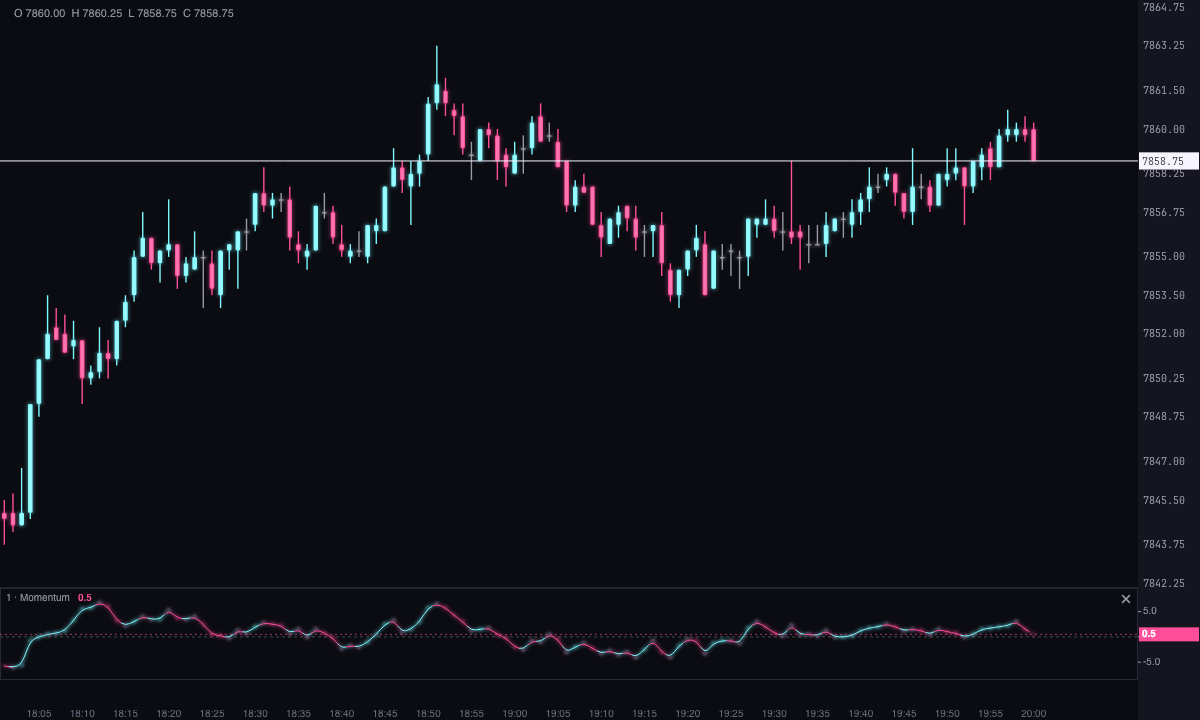
The Momentum subtracts the close from a number of candles ago from the candle’s close. The result is in points, not a percentage: if it reads 12, the close is 12 points above the close n candles ago. If it reads −8, it’s 8 points below.
How it’s calculated
Momentum = close − close n candles ago
- n is the Period: 10 by default.
- The first n candles on the chart read 0, because there is no close from n candles ago yet to subtract.
How to read it
- Against zero: above it, the close is higher than n candles ago; below it, lower. When the line crosses zero, the sign of that difference changes.
- Slope: if the line rises, the difference is growing; if it falls, it’s shrinking. With the default colors, ice means rising and pink means falling.
- Height: the farther from zero, the bigger the move over those n candles. The line’s peaks and troughs can be compared with earlier ones on the same chart.
- Divergences: price making a higher high while the Momentum makes a lower high says the move is losing strength, and vice versa.
The Momentum doesn’t mark signals on the chart: it’s the line and nothing else.
Adding it to the chart
In the chart bar, Indicators ▾ › More Indicators…. You’ll find it in the Oscillators / Momentum category. It’s drawn in its own strip, below the candles. How to adjust a strip is in Indicators.
Settings
Open them by double-clicking its strip, or with the ⚙ on its row in Indicators ▾. Each section collapses and expands on its own.
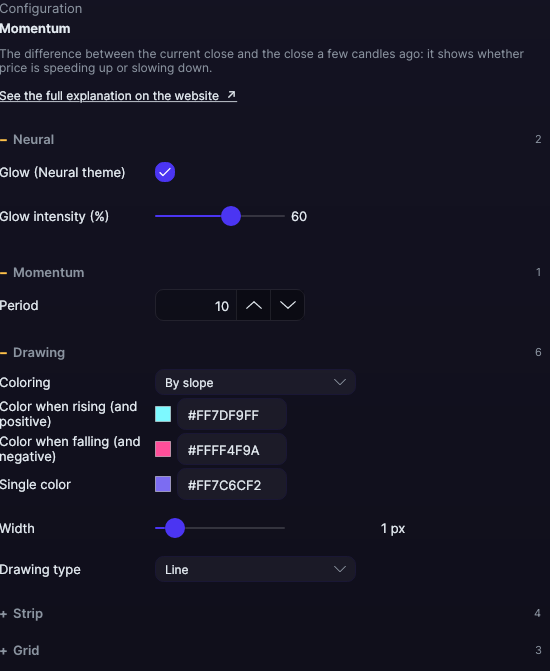
| Setting | Default | What it does |
|---|---|---|
| Momentum | ||
| Period | 10 | How many candles back the close being subtracted is. From 1 to 500. |
| Drawing | ||
| Coloring | By slope | By slope: one color if the line rises and another if it falls. By sign: one color above zero and another below it. Single color: the whole line in the same one. |
| Color when rising (and positive) · Color when falling (and negative) | Ice · Pink | The two colors of the By slope and By sign modes. |
| Single color | Violet | The line’s color with Single color. |
| Width | 1 px | From 0.5 to 6 px. |
| Drawing type | Line | Line, Area, Histogram, Stepped or Dots. |
| Strip | ||
| Zero line · Zero line color (0 = automatic) | Yes · Automatic | The line that separates positive from negative. |
| Value on the axis | Yes | The tag with the last candle’s value. |
| Strip height | 92 px | From 40 to 400 px. |
| Grid | ||
| Draw grid · Color (0 = automatic) · Divisions | No · Automatic · 4 | Horizontal reference lines in the strip. From 2 to 10 divisions. |
| Neural | ||
| Glow (Neural theme) | Yes, when added | A halo of light in the color of each line or mark, like the one on the Neural theme candles. A newly added indicator comes with it checked; the ones you already had saved don’t. |
| Glow intensity (%) | 60% | From 0 to 100%. |
Settings belong to each chart: changing the Momentum on one chart doesn’t change it on another.